★★★★★
I literally never lose more than I want for the day.
stevenasmoVerified MQL5 feedback

Monitor account limits and trigger configured protection actions when a rule is reached.
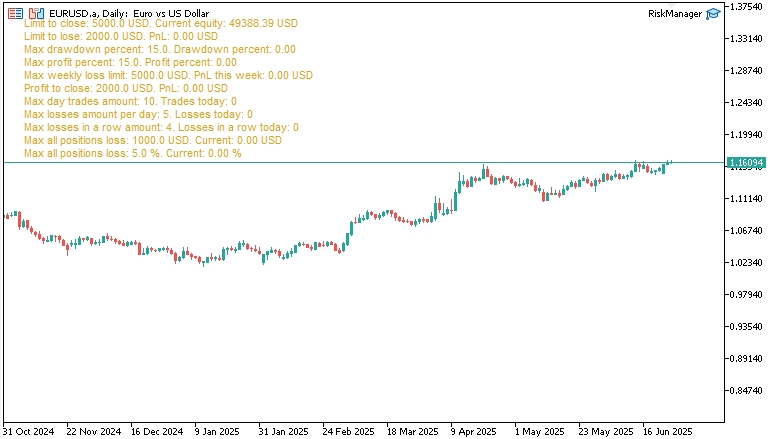
Traders who want firm control over their trading, fewer emotion-driven decisions, and a clear stop before losses or overtrading escalate.
Attach the EA, configure the controls around your strategy, and start trading. Risk Manager monitors the account and enforces the rules you set while MetaTrader is running.
Choose the local PC or VPS where Risk Manager will run. Keep that terminal online whenever you trade or the account has open positions or pending orders.
I literally never lose more than I want for the day.
stevenasmoVerified MQL5 feedback
Very easy to use and install.
JmerchantVerified MQL5 feedback
It does its job well. I highly recommend it.
Mattia FavaroVerified MQL5 feedback
Daily/weekly caps, trailing equity, single‑trade and consecutive‑loss limits—all in one panel. Map the provider’s current rules to the available controls and review them when its terms change. Auto‑close excess trades or flatten everything—then optionally shut down the terminal to stop revenge trading. Real‑time PUSH/e‑mail alerts so you always know when limits are reached. You can configure available limits to reflect a provider’s current rules, but you remain responsible for translating and reviewing those rules. It can handle both manual positions and orders as well as the ones opened by other EAs. You can also enable “close other EAs” or full terminal shutdown if you want a hard stop. Both options are available.Trade with Rules Instead of Emotion
🔒 Full‑Spectrum Protection
🛡️ Funded-account configuration
⚡ Instant Safeguards
📱 Smart Notifications
Build the Risk Rules Your Trading Needs
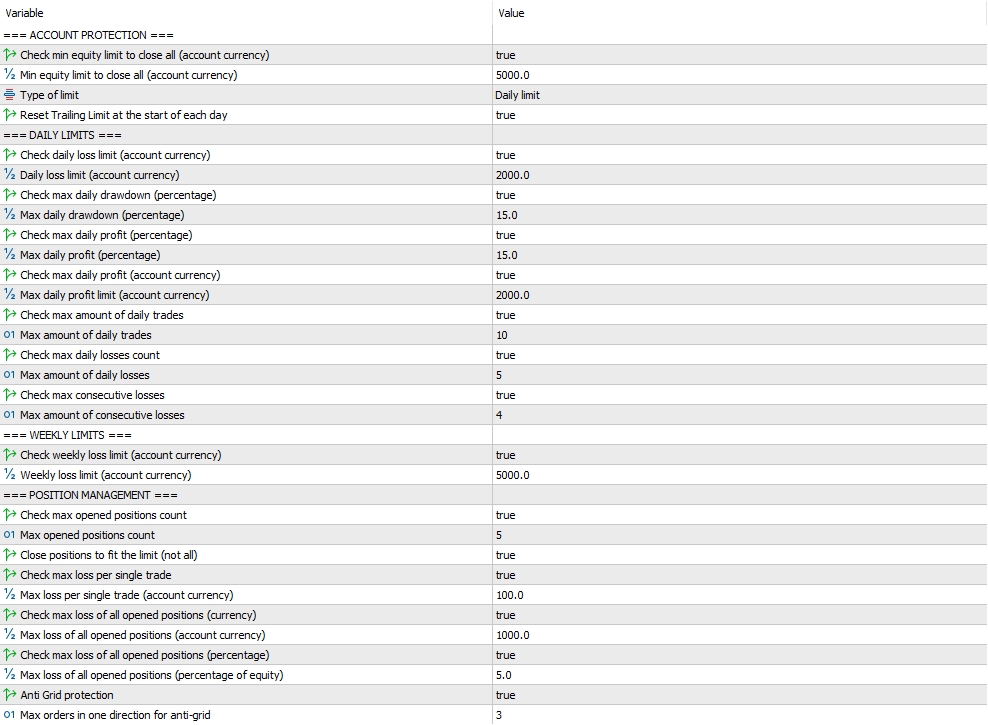
Risk Manager FAQ: Configure with Confidence
Can it be configured for funded-account rules?
Can it control other Expert Advisors or only manual positions and orders?
It runs on local PC or could be set on VPS?
Choose your platform, configure the limits around your strategy, and trade with a clear stopping point.